
Nudify apps turn ordinary photos into fake nude images. If one has been made of you, the images can be reported and removed, and the app itself can sometimes be reported too.
These apps and sites take a clothed photo and generate a fake nude version. The results are shared in chats, posted on forums or sent as threats. Even though the body is generated, the image is still intimate image abuse, because it falsely depicts you in a sexual way.
Removal follows the same path as other non-consensual images, with some extra steps: report the app, check stores and hosts, and protect the photos that were used.
Images from these apps often spread because the person who made them shares them in groups. Removing the images and the places that spread them matters more than chasing the app alone.
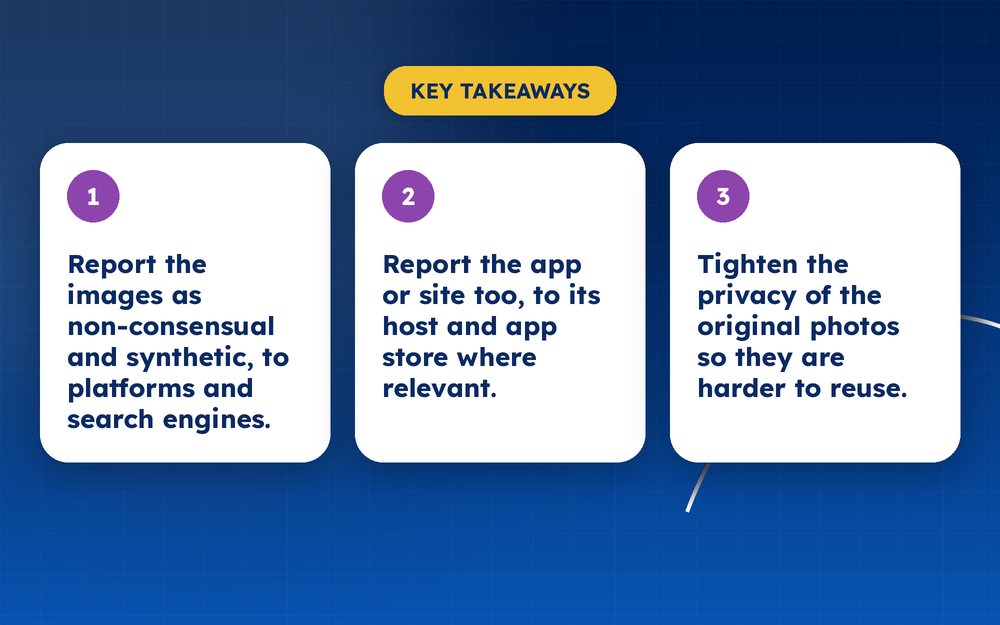
- Report the images as non-consensual and synthetic, to platforms and search engines.
- Report the app or site too, to its host and app store where relevant.
- Tighten the privacy of the original photos so they are harder to reuse.
How to remove them, step by step
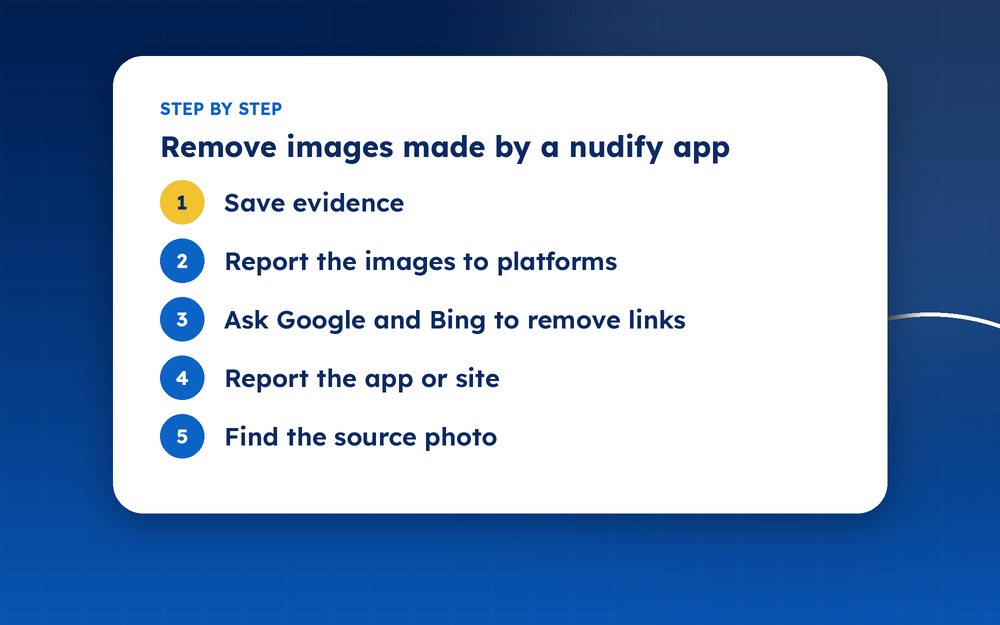
- Save evidenceCapture the generated images, the account that shared them, the web addresses and any messages. Save links, screenshots and dates, and note where the image was shared. Keep a private copy of the evidence, not of the image itself if you can avoid it.
- Report the images to platformsUse the report option for non-consensual sexual content and say the image is AI-generated. Report each image as a non-consensual fake, and say that it uses your likeness without permission.
- Ask Google and Bing to remove linksSubmit the links through the forms for non-consensual explicit imagery, including fakes. Ask search engines to remove results that show or link to the images, and to filter similar ones.
- Report the app or siteLook for an abuse contact, and report to the host and, if the app is in an app store, to the store. Report the app or site to its host, payment provider and any app store that lists it, for facilitating abuse.
- Find the source photoWork out which original photo was used, and make that account private or remove the photo. If you know which photo was used, consider where it came from, and tighten privacy on that account.
- Tell the police if appropriateMany places now treat creating or sharing sexual deepfakes as an offence. If you know who made or shared it, or if it is used to threaten you, tell the police.
- Monitor for new copiesSet alerts for your name and check where the images were shared. Search for your name and the image description regularly, and report new copies quickly.
Reporting the app itself
App stores and hosting providers have policies against services that create non-consensual sexual imagery. A short report that links to the service and explains what it does can lead to removal of the app or site, which reduces future harm. Include details about the harm without sharing images.
If the image was made at school or work
Tell the school or employer, who may have policies and legal duties. Ask for the sharing to stop and for those involved to delete the images. Keep records of what you reported and the responses.
Protecting your photos in future
Make social profiles private, limit who can download your photos and think about what is public. Removing public photos is not fair to ask of victims, but it reduces the supply for people who misuse them. Do not blame yourself for being visible online.
What a typical case looks like
A student finds a fake image circulating in a school group. She saves links, reports the image on the platform and asks the search engine to remove two results. A teacher and the police are informed, and the person who made it is identified through the group. The platform removes the image within a day, and she tightens privacy on the account where the original photo was posted.
Combining reports with the school and police response addressed the source as well as the copies.
Common mistakes to avoid
Do not use another nudify app to check what was made. Do not forward the images. Do not engage with the person who shared them. And do not assume the harm is smaller because the image is fake.
How a specialist can help
Cases that involve both images and the app that made them need coordinated reporting. A specialist team can handle searches, notices and monitoring while you take care of yourself. We cannot promise results, but we will be honest about what is realistic. Email us in confidence.
Frequently asked questions
Can nudify images be removed?
Often yes. Platforms and search engines treat them as non-consensual intimate imagery.
Can the app be shut down?
Reports to hosts, payment providers and app stores sometimes lead to action, though it varies.
How do I find where the image is?
Search your name and related terms, and ask trusted people to help.
What if it is a minor?
Report to the police and child protection services immediately.
Should I stop posting photos?
That is your choice. Tightening privacy settings can reduce risk.
Is this legal advice?
No. It is general information, and laws differ by country. For claims or court action, speak to a qualified lawyer.
Need help with this?
Every situation is different. Email us the details in confidence and we will reply with an honest assessment of what can be done.
Contact us by email Deepfake removalThis guide is general information, not legal advice. DMCA Reputation is not a law firm.
Related guides
Are Deepfakes Illegal? Laws by Country
Are deepfakes illegal? A general overview of how different countries treat sexual and misleading deepfakes, and how the law connects to getting them removed.
Read the guide · 4 min
How to Tell If a Video of You Is a Deepfake
How to tell if a video of you is a deepfake: visual and audio clues, tools and checks, and how to prove it is fake when you report it. A practical guide.
Read the guide · 4 min
How to Remove Deepfakes of Yourself
How to remove deepfakes of yourself: documenting evidence, platform reports, search removal and legal options for AI-generated fake images and videos.
Read the guide · 4 min